
Stop searching. Start knowing.
Know who has every tool, where it’s assigned, and when it’s due back — updated the moment a crew member checks something in or out.
- Every check-out, return, and transfer captured automatically
- No tracker on your tools. No tracking of your crew.
- Already on in your account — no setup, no extra work
A drill doesn’t get lost. Someone keeps it.
Tools rarely vanish into thin air. They sit in a truck, in a gang box, in somebody’s garage. The problem was never finding the place — it was finding the person.
Tools go missing
A $500 drill disappears from a job site. No one knows who had it last or where it went.
Wasted time searching
A crew burns 30 minutes on a tool that’s sitting in someone’s truck three blocks away.
Zero accountability
Tools get damaged or lost with no record of who was responsible, or when it happened.
Inventory chaos
You think you have 10 impact drivers. Three are missing, two are in repair, five are scattered.
Five questions, answered instantly
Tracking eliminates guesswork by showing who has each tool, where it’s assigned, and what’s happening with it.
Where it’s assigned
Which shop, job site, truck, or crew member a tool is signed out to — instantly.
Movement history
A complete audit trail of every check-in, check-out, and transfer.
Inventory levels
Live counts of available, checked out, and in-repair tools, with low-stock alerts.
Condition updates
Damage reports and maintenance status tracked as they happen.
Current assignments
Know exactly who has what right now — no phone calls, no guessing.
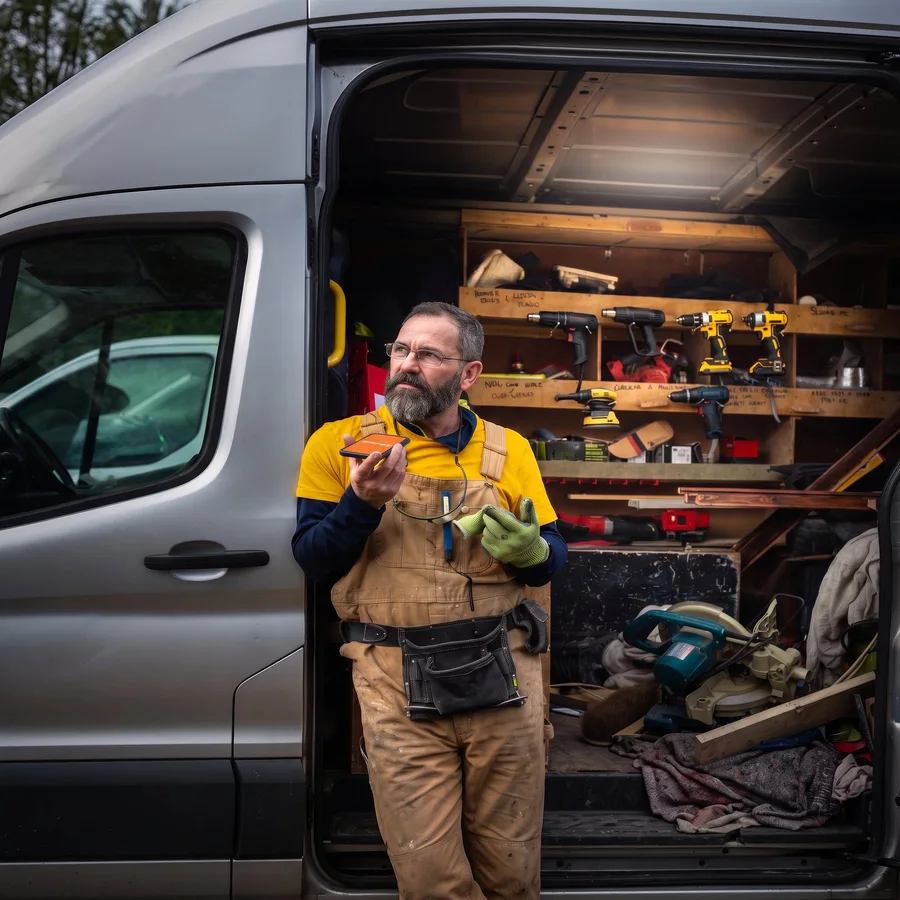
When you do need to meet up
Knowing who has the tool is usually enough. When it isn’t — when two people have to meet to hand something over — ToolLogix lets them share a location once, on purpose.
Ask where someone is
Send a request to the person holding the tool. They see who is asking and decide whether to answer — nothing is sent unless they tap share.
Share yours for the hand-off
Driving out to meet a crew member? Share your location with them so you both end up in the same yard instead of trading phone calls.
Shared once, never stored
A location is shared for that hand-off and nothing else. Nothing runs in the background, nothing is attached to the tool record, and there is no location history for anyone to scroll back through.

Automatic tracking. Zero extra work.
Nobody logs anything twice. Ordinary work is the data entry.
Actions trigger updates
Check a tool out, return it, transfer it, or update it — ToolLogix captures the event automatically.
- Status changes: assigned, returned, transferred
- Condition and status changes as crews report them
- Photo uploads for condition reports
- Inventory adjustments
Data syncs across devices
Changes propagate in near real time across desktop, mobile, and web, so the whole team sees the latest.
- Updates appear within seconds
- Same account, every device
- No manual re-entry, ever
You get instant visibility
Live dashboards, current assignments, and movement history — always reflecting what just happened.
- Dashboards update as events land
- Alerts fire on the events you choose
- Every change is timestamped
See everything at a glance
Keep scrolling — the real app screens change as you go. Or click a view to jump straight to it.
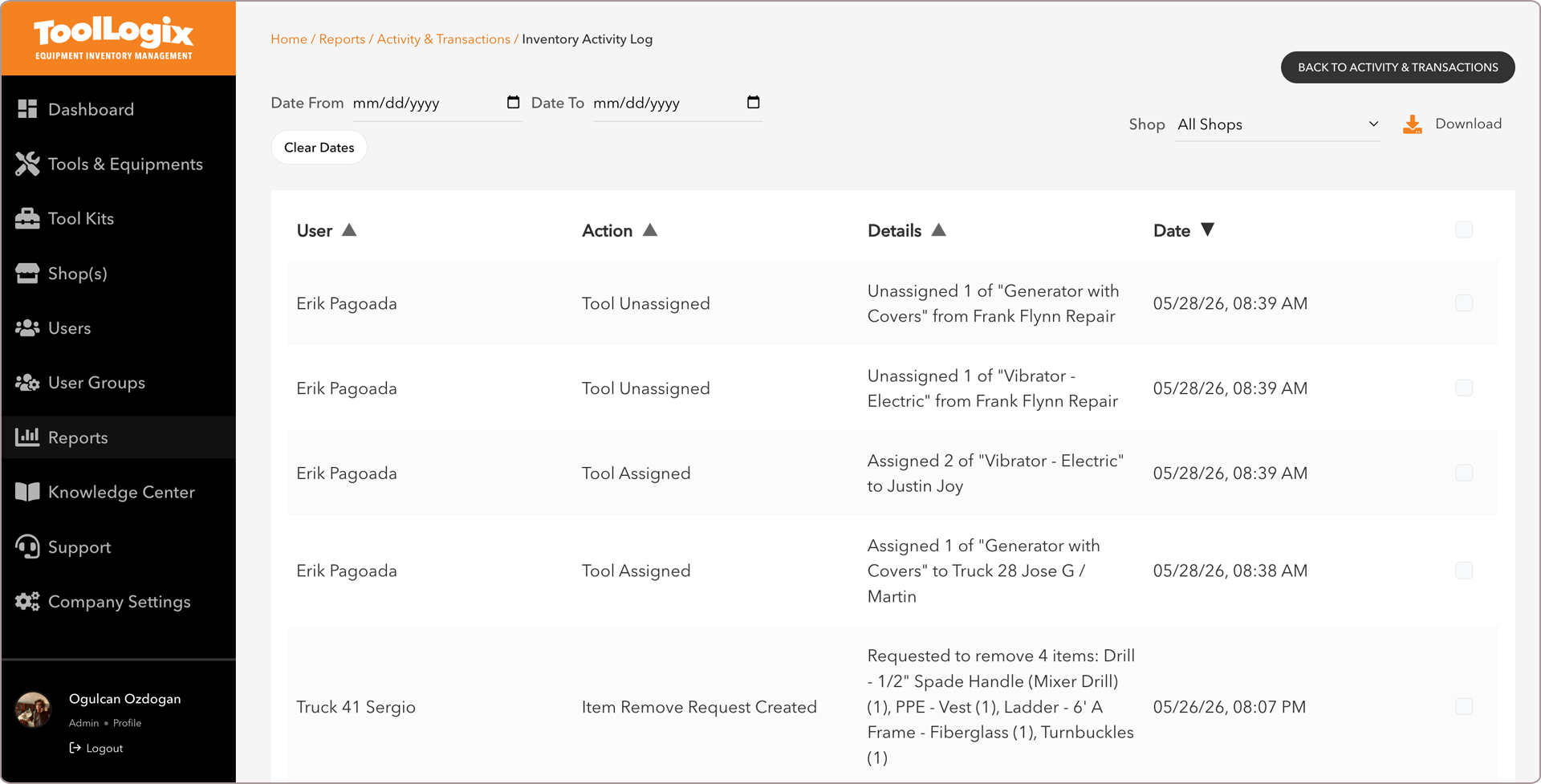
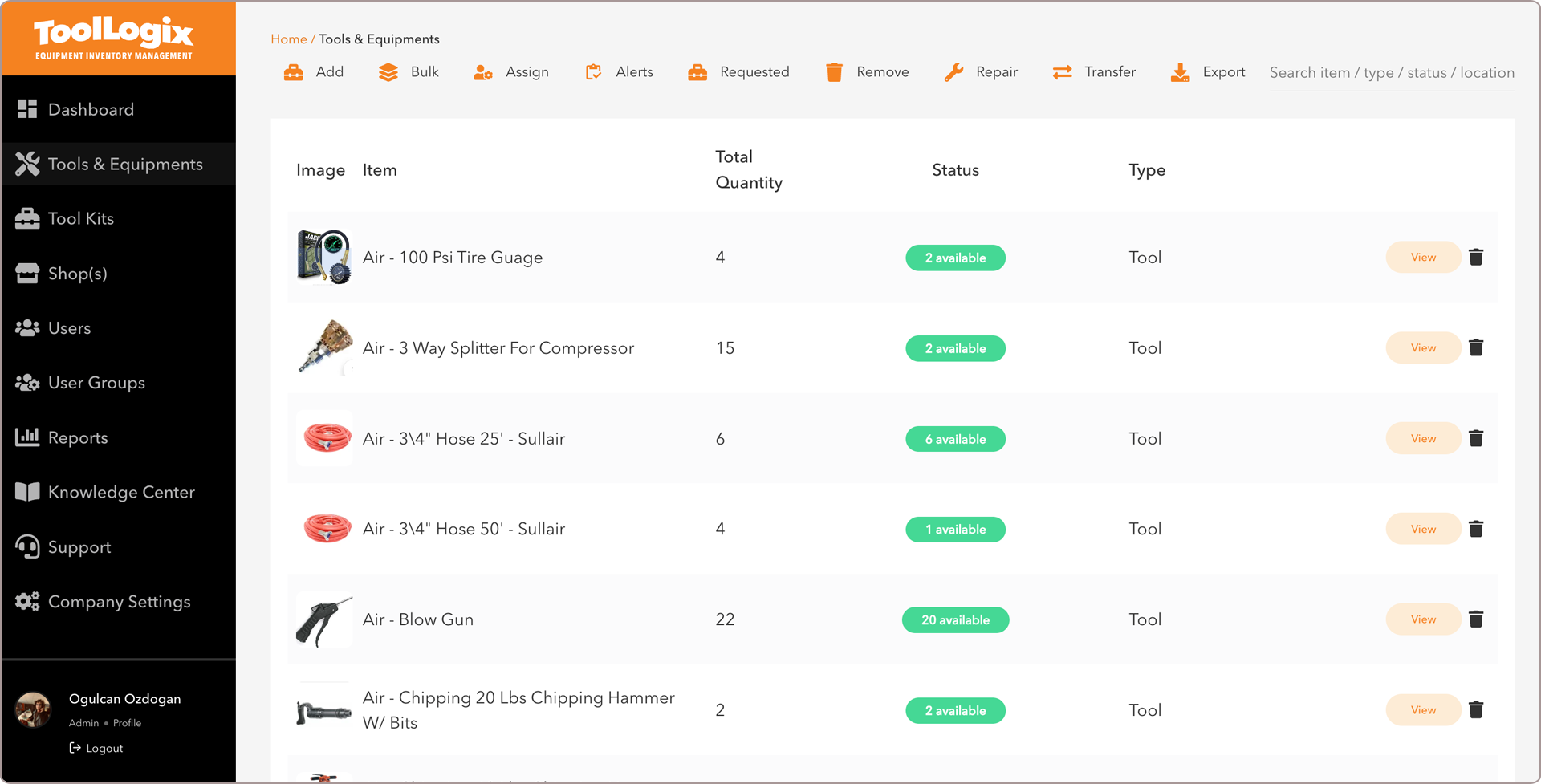
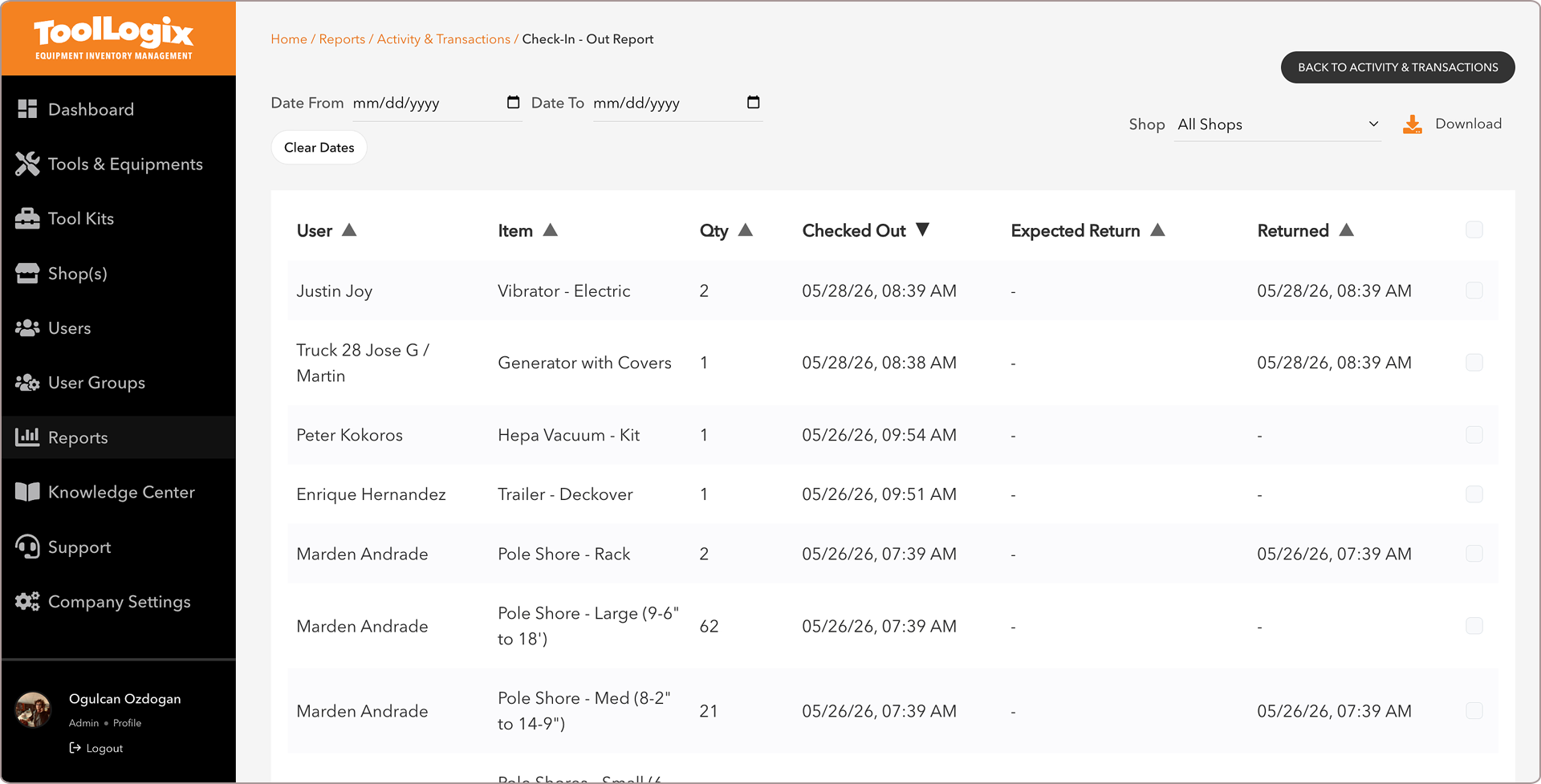
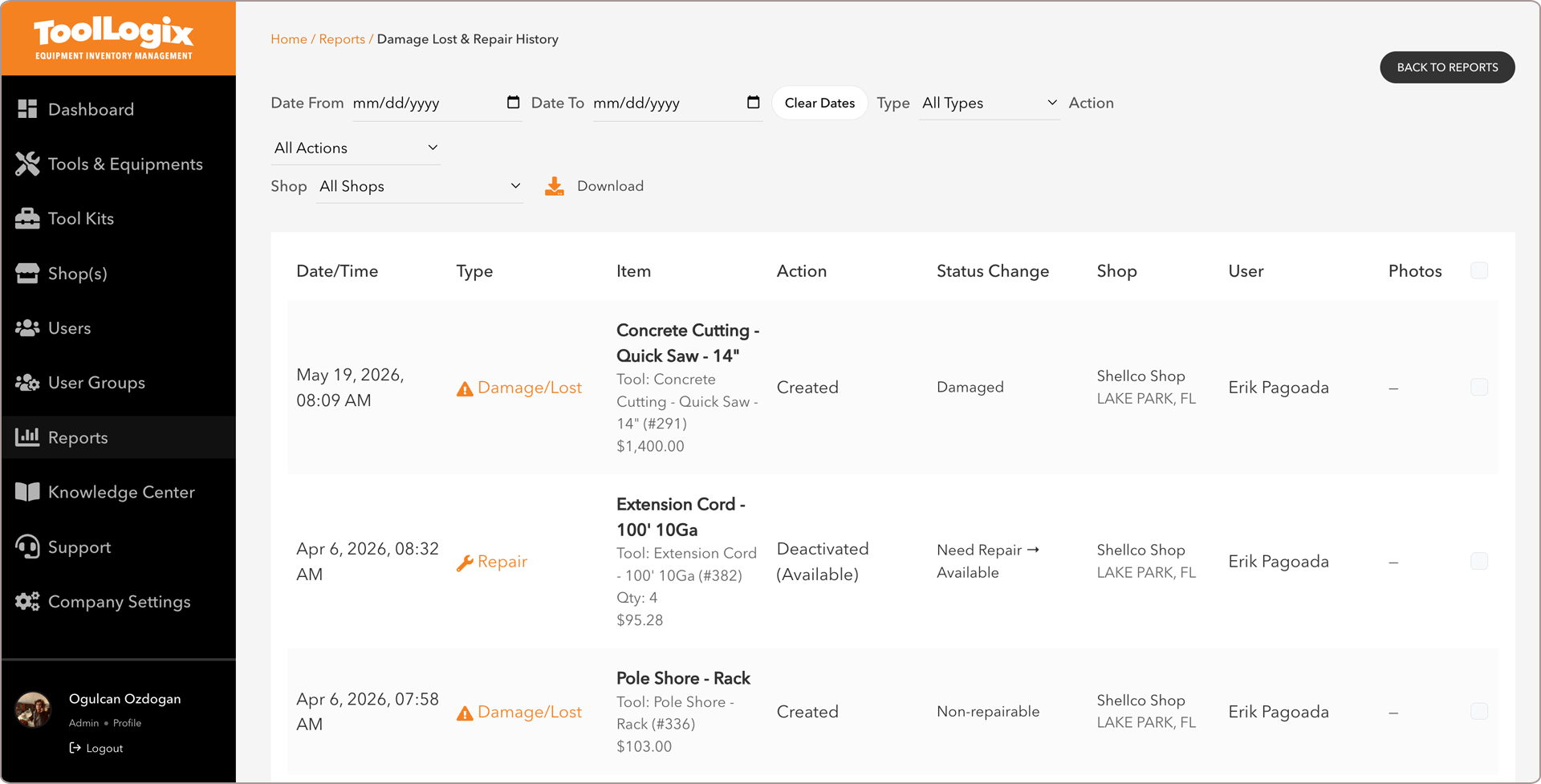
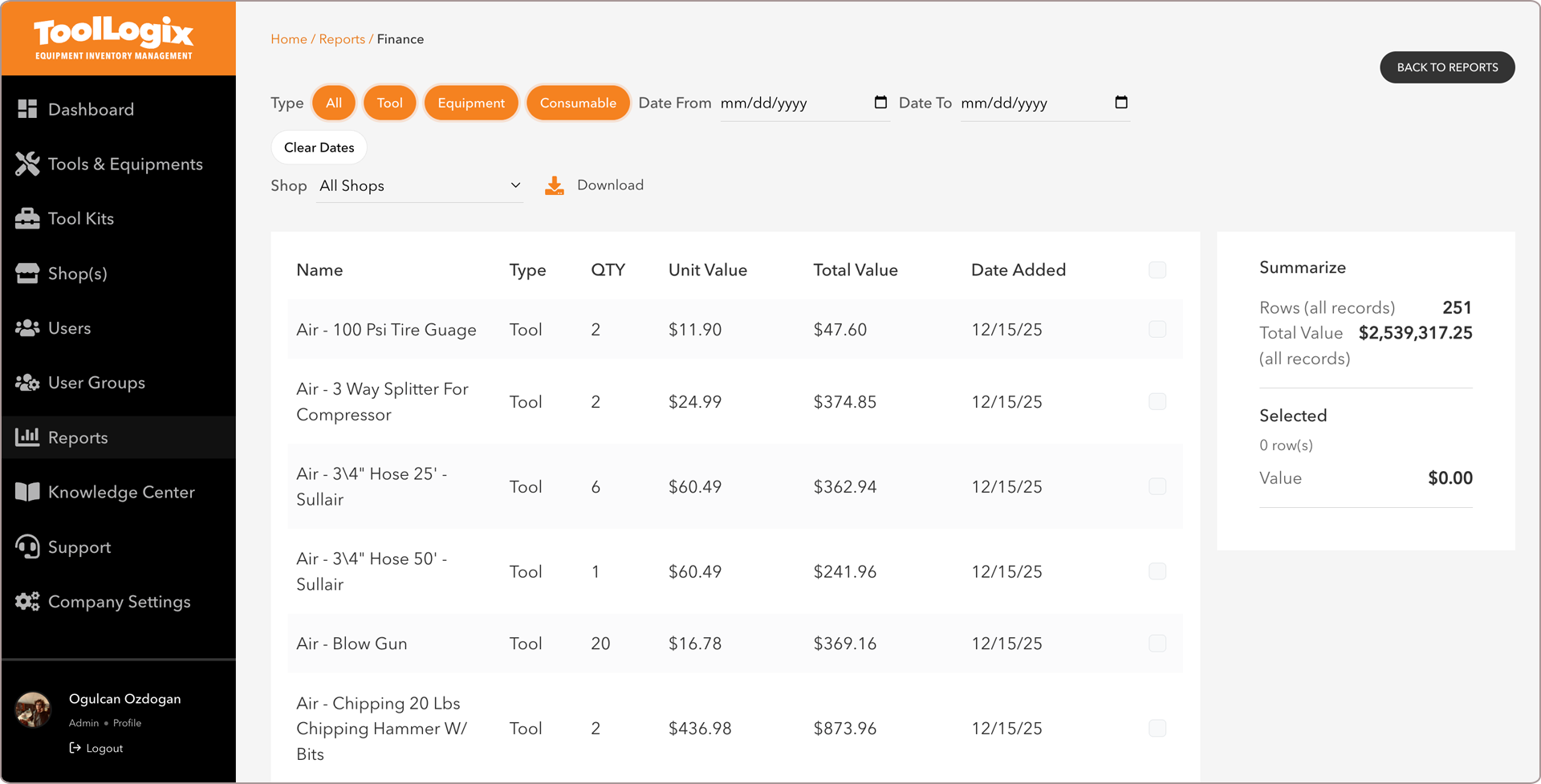
Every action lands in the log the second it happens — filter by date or shop, and export the record.
Stay informed without staring at a dashboard
ToolLogix tells you the moment something important happens — you choose what and how.
Tool checked out / in
Know when tools leave or return to inventory.
Tool overdue
Get notified when a tool isn’t returned on time.
Tool transferred
See when tools move between users, shops, or sites.
Low inventory
Alerts when stock drops below your threshold.
Damage reported
Instant notice when a crew member reports an issue.
Everyone sees what they need — and nothing they don’t
Role-based permissions keep tracking data relevant and secure. Location sharing is never automatic — a crew member chooses to share it, or a manager asks and they decide.
Admins & managers
All tools, all locations, all users, and the complete movement history.
- Monitor operations across every site
- Identify bottlenecks early
- Enforce accountability with the record
Shop supervisors
Tools in their assigned shops, plus every transfer in and out.
- Manage shop inventory day to day
- Approve and track transfers
- Catch low stock before it bites
Field crews
What they have checked out, and what they need to return.
- See assignments without asking
- Report damage from the field
- Choose whether to share their location
Complete accountability. Zero disputes.
Every action is tracked and timestamped, so “he said, she said” never enters the conversation.
What gets captured
- Who checked out each tool
- When it was checked out
- Where it was taken — shop, job site, or truck
- When it was returned
- Condition at return, with photos when attached
- Any transfers or status changes in between
Reduce tool loss
When people know actions are tracked, tools stop disappearing.
Resolve disputes fast
No arguments about who had what — the record tells the truth.
Identify patterns
See which users, sites, or tools have recurring issues.
Support insurance claims
Complete documentation for theft or damage claims.
Knowing vs. guessing
It isn’t just faster. It’s the difference between chaos and control.
| Question | With ToolLogix | Without tracking |
|---|---|---|
| Who has the drill? | A name and a due date, in five seconds. | Thirty minutes of phone calls. |
| Need to meet up? | Ask them to share their location for the hand-off. | “I’m somewhere on the north side.” |
| When something happens | The audit trail shows exactly what happened. | A tool goes missing and nobody knows when or who had it. |
| Inventory counts | Accurate to the minute. | Educated guesses. |
| Damage is… | Reported and documented immediately. | Discovered weeks later, with no accountability. |
| The manager… | Gets instant alerts and intervenes early. | Finds out after the problem escalates. |

Stop guessing. Start knowing.
Fourteen days, full access, no credit card. Find out who has every tool before you commit to anything.